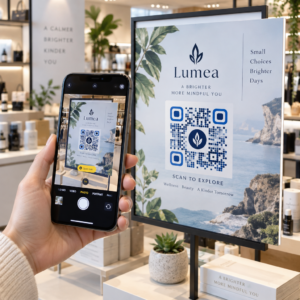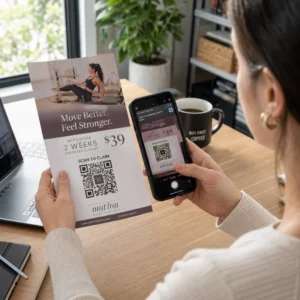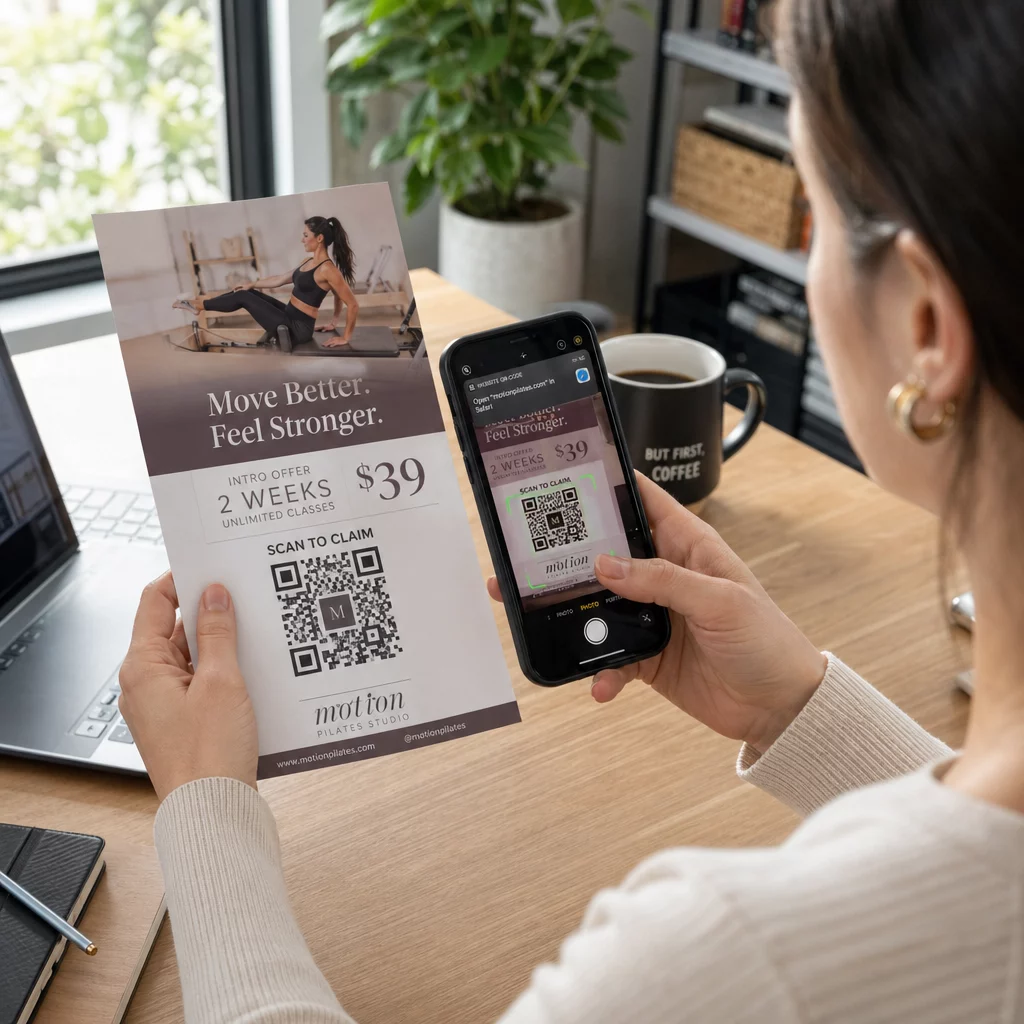
एक फ़्लायर क्यूआर कोड आपके मुद्रित फ़्लायर पर एक कोड होता है जो पाठक द्वारा स्कैन करने पर एक वेब पेज, फ़ॉर्म या फ़ाइल खोलता है। इसे बनाने के लिए, कोड को एक में बनाएँ। क्यूआर कोड जनरेटर, इसे एसवीजी या पीडीएफ के रूप में डाउनलोड करें, इसे अपने लेआउट में कम से कम 0.8 इंच (2 सेमी) चौड़ा एक स्पष्ट सफेद बॉर्डर के साथ रखें, और इसके बगल में एक संक्षिप्त कॉल टू एक्शन जोड़ें। प्रिंट करने से पहले इसे दो फ़ोनों से टेस्ट करें। चरण, आकार और प्लेसमेंट के नियम नीचे दिए गए हैं।
फ़्लायर्स पर क्यूआर कोड क्यों होने चाहिए
एक फ़्लायर में कम जगह होती है। यदि आप उस पर हर उत्पाद विवरण या कार्यक्रम अनुसूची फिट करने की कोशिश करते हैं, तो डिज़ाइन भीड़भाड़ वाला और पढ़ने में मुश्किल हो जाता है। एक क्यूआर कोड पाठकों को एक डिजिटल मेनू, एक पंजीकरण फ़ॉर्म, एक कूपन या एक पूर्ण कैटलॉग तक एक-टैप पहुँच प्रदान करता है, जबकि फ़्लायर साफ रहता है। यह ऐसे है क्यूआर कोड प्रिंट और डिजिटल मार्केटिंग को जोड़ते हैं: फ़्लायर को ध्यान मिलता है, और स्कैन पाठक को अगले चरण पर ले जाता है।
एक क्यूआर कोड आपको एक मुद्रित अभियान को मापने की भी अनुमति देता है। एक डायनामिक कोड के साथ आप देख सकते हैं कि प्रत्येक स्कैन कब, कहाँ और किस डिवाइस पर हुआ, जिससे आपको पता चलता है कि कौन से फ़्लायर और स्थान लोगों को आकर्षित करते हैं।
स्टैटिक बनाम डायनामिक क्यूआर कोड: आपको किसका उपयोग करना चाहिए?
फ़्लायर डिज़ाइन करने से पहले प्रकार चुनें। स्टैटिक और डायनामिक क्यूआर कोड प्रिंटिंग के बाद अलग तरह से व्यवहार करते हैं।
स्थैतिक क्यूआर कोड गंतव्य को सीधे पैटर्न में संग्रहीत करें। प्रिंटिंग के बाद गंतव्य को बदला नहीं जा सकता है, और कोड कभी समाप्त नहीं होता है। जब लिंक नहीं बदलेगा, उदाहरण के लिए एक वाई-फ़ाई लॉगिन या एक स्थायी वेबसाइट पेज, और जब आपको स्कैन संख्या की आवश्यकता नहीं है, तो स्टैटिक पर्याप्त है।
गतिशील क्यूआर कोड एक छोटे रीडायरेक्ट लिंक की ओर इशारा करते हैं जिसे आप एक खाते में प्रबंधित करते हैं। फ़्लायर वितरित होने के बाद आप गंतव्य को बदल सकते हैं, बिना दोबारा प्रिंट किए। यदि आप एक साप्ताहिक कार्यक्रम का प्रचार करते हैं, तो आप हर सप्ताह पंजीकरण पृष्ठ बदलते हैं। डायनामिक कोड में कम डेटा भी होता है, इसलिए पैटर्न सरल होता है और अक्सर खराब रोशनी में अधिक आसानी से स्कैन होता है।
उन फ़्लायर्स के लिए जो एक से अधिक स्थानों पर या एक सप्ताह से अधिक समय तक चलते हैं, डायनामिक आमतौर पर इसके लायक होता है क्योंकि आपको मिलता है क्यूआर कोड ट्रैकिंग स्कैन काउंट, स्थानों और उपकरणों के साथ। डायनामिक कोड 14-दिन के निःशुल्क परीक्षण के साथ आते हैं, और योजनाएँ पर सूचीबद्ध हैं पेज्लूट मूल्य निर्धारण पृष्ठ. स्कैन असीमित हैं, और योजनाओं पर 30-दिन की मनी-बैक गारंटी है। जब मासिक या वार्षिक योजना समाप्त हो जाती है तो एक डायनामिक कोड काम करना बंद कर देता है, इसलिए जब तक फ़्लायर प्रचलन में है तब तक योजना को सक्रिय रखें।
5 चरणों में एक फ़्लायर क्यूआर कोड कैसे बनाएं
फ़्लायर में क्यूआर कोड जोड़ने के लिए इन चरणों का पालन करें:
- चुनें कि कोड क्या खोलेगा। एक ऐसा गंतव्य चुनें जो फ़ोन पर काम करता हो: एक वेबसाइट यूआरएल, एक पीडीएफ दस्तावेज़, ए Google Form, या एक vCard संपर्क पृष्ठ. उस जनरेटर का उपयोग करें जो सामग्री से मेल खाता हो।
- जनरेट करें और अनुकूलित करें।. को खोलो क्यूआर कोड जनरेटर और अपना लिंक पेस्ट करें। यदि आप अपने ब्रांड को कोड पर चाहते हैं, तो उपयोग करें लोगो के साथ QR कोड जनरेटर. लोगो को छोटा रखें और हल्के बैकग्राउंड पर रंगों को गहरा रखें।
- प्रिंट के लिए डाउनलोड करें। यदि उपलब्ध हो तो SVG या PDF डाउनलोड करें, क्योंकि वेक्टर फ़ाइलें किसी भी आकार में स्पष्ट रहती हैं। यदि आपके पास केवल PNG है, तो इसे बड़े आकार में डाउनलोड करें (जनरेटर स्लाइडर 2000 px तक जाता है) और इसे अपने लेआउट में बड़ा न करें।
- इसे अपने डिज़ाइन टूल में रखें। फ़ाइल को Canva, Adobe Illustrator या किसी अन्य लेआउट एप्लिकेशन में इम्पोर्ट करें। आकार सेट करें, इसके चारों ओर एक सफेद बॉर्डर छोड़ें, और इसके बगल में अपना कॉल टू एक्शन डालें।
- प्रिंट करने से पहले परीक्षण करें।. अंतिम आकार में एक प्रति प्रिंट करें। इसे एक iPhone और एक Android फ़ोन से, सामान्य कमरे की रोशनी में, उस दूरी से स्कैन करें जहाँ से पाठक फ़्लायर को पकड़ेगा।
अपना कस्टम क्यूआर कोड बनाएँ अपने अगले फ़्लायर में एक ब्रांडेड, ट्रैक करने योग्य क्यूआर कोड जोड़ने के लिए तैयार हैं? उपयोग करें लोगो के साथ QR कोड जनरेटर एक कोड डिज़ाइन करने के लिए जो आपकी ब्रांड पहचान से मेल खाता हो।.
विश्वसनीय स्कैनिंग के लिए डिज़ाइन मानक
एक अच्छी तरह से डिज़ाइन किया गया फ़्लायर भी विफल हो जाता है यदि कोड को स्कैन करना मुश्किल हो। इसका पालन करें प्रिंट सामग्री के लिए क्यूआर कोड आकार दिशानिर्देश और इन तीन बिंदुओं की जांच करें।
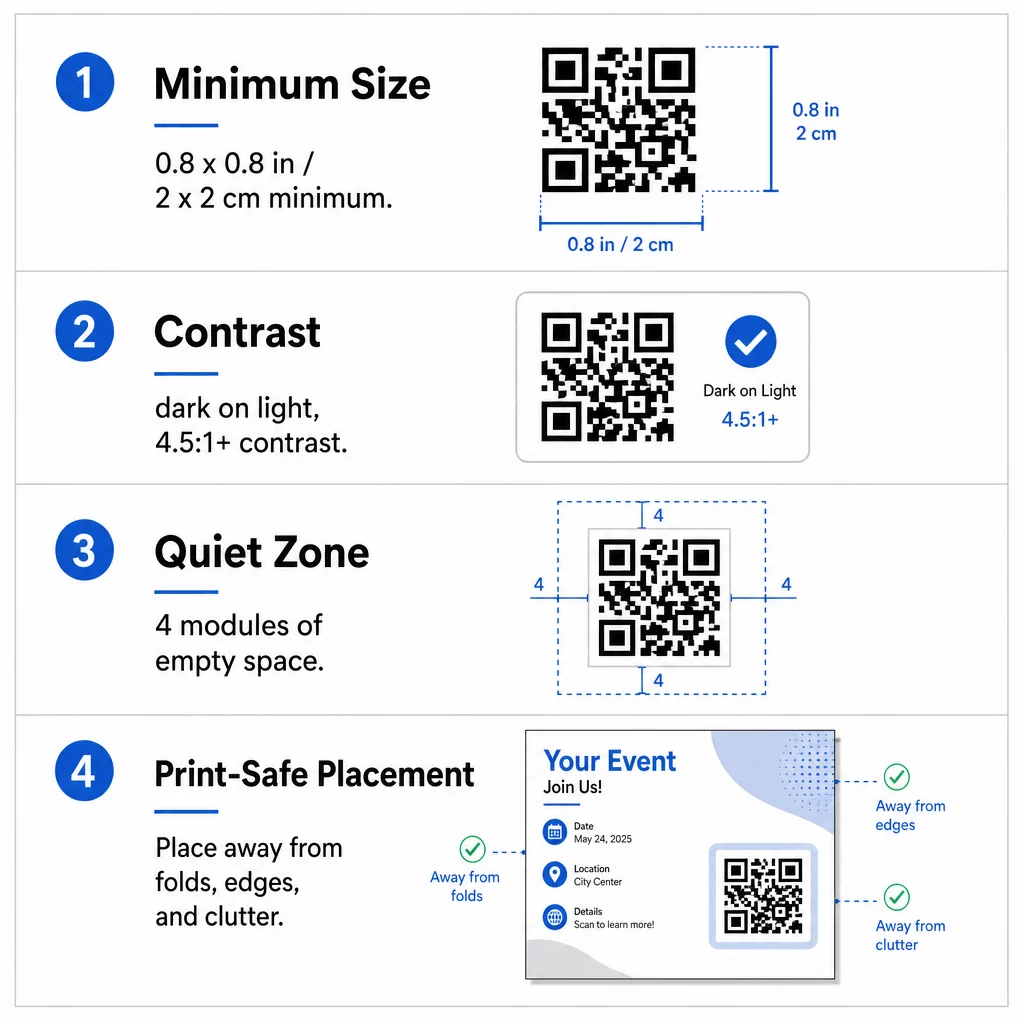
आकार: हाथ में पकड़े जाने वाले फ़्लायर (A5, A4 या US लेटर) पर, कोड को कम से कम बनाएं 0.8 × 0.8 इंच (2 × 2 सेमी). एक बड़ा कोड, लगभग 1 से 1.5 इंच का, स्कैन करना आसान होता है और इसमें कम जगह लगती है। उन फ़्लायर्स के लिए जिन्हें लोग दूर से स्कैन करते हैं, उपयोग करें 10:1 नियम: प्रत्येक दस इंच की स्कैनिंग दूरी के लिए एक इंच कोड की चौड़ाई। दीवार पर लगे एक फ़्लायर को 20 इंच दूर से स्कैन करने के लिए कम से कम 2 इंच चौड़े कोड की आवश्यकता होती है।
कंट्रास्ट: हल्की पृष्ठभूमि पर गहरे मॉड्यूल का उपयोग करें। एक कंट्रास्ट अनुपात कम से कम 4.5:1 विश्वसनीय स्कैनिंग के लिए अनुशंसित है, और 7:1 या उससे अधिक बेहतर है। रंगों को उल्टा न करें (गहरे बैकग्राउंड पर हल्का कोड) और कोड को किसी फोटो पर न लगाएं।
शांत क्षेत्र: कम से कम का एक स्पष्ट बॉर्डर छोड़ें सभी चार तरफ चार मॉड्यूल (छोटे वर्ग). इस बॉर्डर के अंदर टेक्स्ट, लाइनें या इमेज स्कैनर को कोड ढूंढने से रोक सकते हैं।
रणनीतिक स्थान और एक स्पष्ट सीटीए लिखना
आप कोड कहाँ रखते हैं और उसके बगल में क्या लिखते हैं, ये दोनों ही स्कैन की संख्या को प्रभावित करते हैं। मार्केटिंग में क्यूआर कोड प्लेसमेंट कुछ व्यावहारिक नियमों का पालन करता है।.
A4 या A5 फ़्लायर पर, अच्छी जगहें निचला-दायाँ कोना, निचला केंद्र, या मुख्य ऑफ़र के ठीक नीचे हैं। इन जगहों से बचें:
- मोड़, क्रीज़ और घुमावदार किनारे, जो पैटर्न को विकृत कर सकते हैं
- चमकदार या बनावट वाला कागज़ जहाँ चमक या दाने कंट्रास्ट को कम करते हैं
- ऐसी जगहें जहाँ अन्य डिज़ाइन तत्व शांत क्षेत्र को घेरते हैं
- एक फ़्लायर का पिछला हिस्सा जिसे लोग शायद कभी न पलटें
अकेला कोड शायद ही कभी कार्रवाई को प्रेरित करता है। एक जोड़ें कॉल टू एक्शन (CTA) जो बताता है कि पाठक को क्या मिलता है: "20% की छूट के लिए स्कैन करें", "RSVP के लिए स्कैन करें", "मेनू देखने के लिए स्कैन करें"। उन पाठकों के लिए जो QR कोड के लिए नए हैं, एक छोटा संकेत जोड़ें जैसे "अपने फ़ोन कैमरे को कोड पर इंगित करें"। CTA को कोड के ठीक ऊपर या बगल में रखें। ये क्यूआर कोड पठनीयता के लिए सर्वोत्तम अभ्यास सभी आयु समूहों की मदद करते हैं। यह भी सुनिश्चित करें कि कोड द्वारा खुलने वाला पृष्ठ मोबाइल-अनुकूल हो और तेज़ी से लोड हो।
फ़्लायर प्रदर्शन को ट्रैक करना और विश्लेषण करना
यह देखने के लिए कि कौन से फ़्लायर काम करते हैं, प्रत्येक वितरण चैनल को उसका अपना कोड या उसका अपना दें UTM पैरामीटर। उदाहरण के लिए, एक ट्रेड शो के लिए एक कोड और दुकान के काउंटर के लिए दूसरा कोड उपयोग करें। Google Analytics फिर प्रति फ़्लायर ट्रैफ़िक दिखाता है, ताकि आप स्थानों की तुलना कर सकें।
एक गतिशील कोड के साथ आप भी कर सकते हैं क्यूआर कोड स्कैन को वास्तविक समय में ट्रैक करें और समय, स्थान और डिवाइस का प्रकार देख सकते हैं। यदि कोई क्षेत्र खराब प्रदर्शन करता है, तो उस कोड के गंतव्य को अधिक प्रासंगिक स्थानीय ऑफ़र में बदल दें। मुद्रित फ़्लायर वही रहता है।
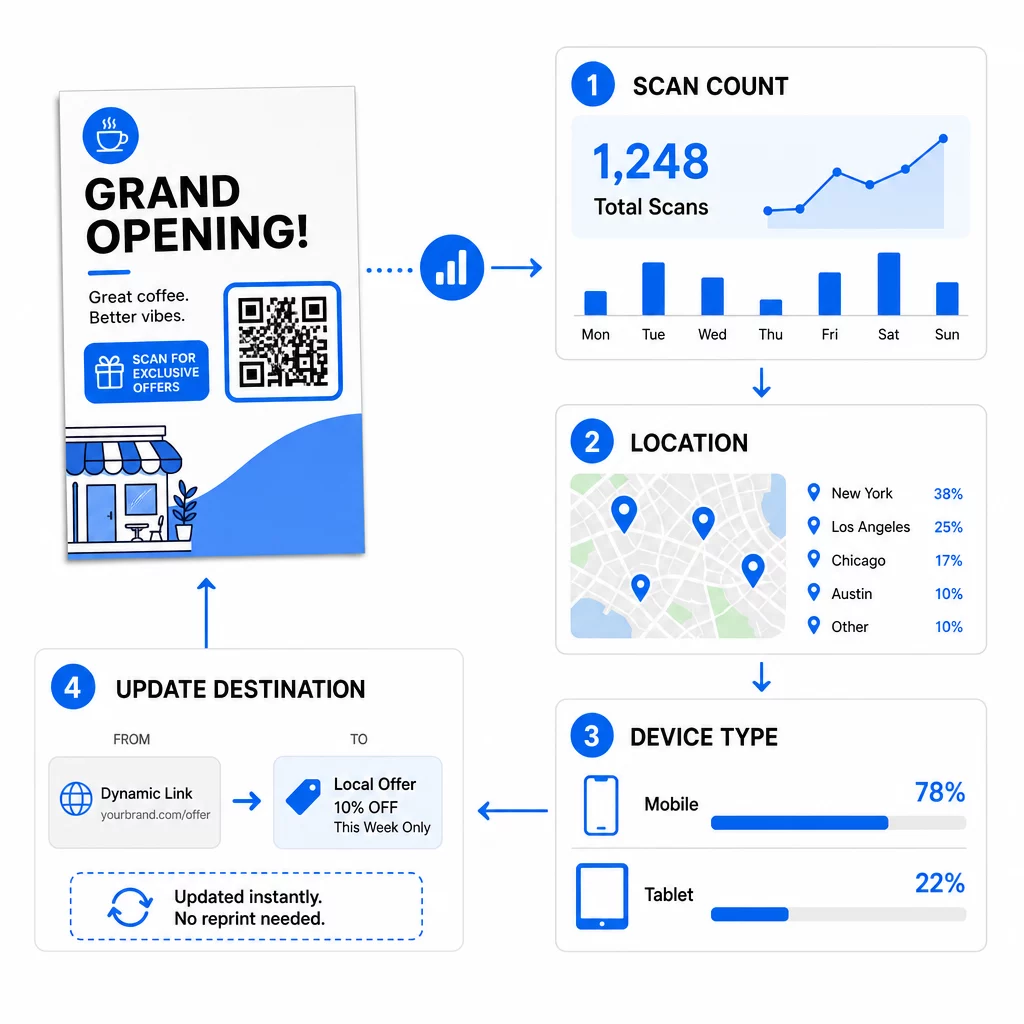
अपने अभियान के प्रदर्शन की निगरानी करें देखना चाहते हैं कि कौन से फ़्लायर सबसे अधिक ट्रैफ़िक ला रहे हैं? का उपयोग करें क्यूआर कोड जनरेटर गतिशील, ट्रैक करने योग्य कोड बनाने और अपने डैशबोर्ड में स्कैन डेटा देखने के लिए।
फ़्लायर पर QR कोड स्कैन नहीं हो रहा है? इन्हें जाँचें
- बहुत छोटा: 0.8 इंच (2 सेमी) से कम होने पर, कई फ़ोन विफल हो जाते हैं। कोड को बड़ा करें।
- कम कंट्रास्ट या उल्टे रंग: हल्के बैकग्राउंड पर गहरे कोड का उपयोग करें।
- कोई सफेद बॉर्डर नहीं: चार-मॉड्यूल शांत क्षेत्र को पुनर्स्थापित करें।
- धुंधला प्रिंट: एक छोटी PNG जिसे खींचा गया था, वह धुंधली छपती है। SVG या PDF, या एक बड़ी PNG का उपयोग करें।
- बहुत अधिक डेटा: एक बहुत लंबा गंतव्य लिंक एक सघन पैटर्न बनाता है। एक छोटा लिंक या एक गतिशील कोड का उपयोग करें।
- टूटा हुआ गंतव्य: लिंक को स्वयं खोलें। एक हटाई गई पृष्ठ या एक समाप्त हो चुका गतिशील कोड स्कैन त्रुटि देता है, भले ही कोड ठीक हो।
फ़्लायर पर क्यूआर कोड जोड़ने में कुछ ही मिनट लगते हैं और आपको एक मापने योग्य परिणाम मिलता है। सही कोड प्रकार चुनें, आकार और कंट्रास्ट नियमों का पालन करें, कोड को ऐसी जगह रखें जहाँ लोग उसे देख सकें, और एक स्पष्ट CTA लिखें।
अक्सर पूछे जाने वाले सवाल
एक मानक हाथ से पकड़े जाने वाले फ़्लायर के लिए, QR कोड कम से कम 0.8 × 0.8 इंच (2 × 2 सेमी) का होना चाहिए। यदि फ़्लायर को दूर से स्कैन किया जाना है, तो 10:1 अनुपात लागू करें: अपेक्षित स्कैनिंग दूरी के प्रत्येक दस इंच के लिए कोड को एक इंच चौड़ा करें।.
हाँ, लेकिन तभी जब आपने एक डायनामिक क्यूआर कोड का उपयोग किया हो। डायनामिक कोड एक छोटे रीडायरेक्ट यूआरएल के माध्यम से रूट होते हैं जिसे आप किसी भी समय अपने डैशबोर्ड से अपडेट कर सकते हैं। स्टैटिक कोड गंतव्य को सीधे पैटर्न में एम्बेड करते हैं और मुद्रण के बाद उन्हें बदला नहीं जा सकता है।.
डायनामिक क्यूआर कोड में एक एनालिटिक्स डैशबोर्ड शामिल होता है जो कुल स्कैन, अद्वितीय उपयोगकर्ता, भौगोलिक स्थान और समय-आधारित सहभागिता दिखाता है। आप इन इंटरैक्शन को सीधे गूगल एनालिटिक्स के भीतर ट्रैक करने के लिए अपने गंतव्य यूआरएल से यूटीएम पैरामीटर भी संलग्न कर सकते हैं।.
SVG या PDF, क्योंकि वेक्टर फाइलें किसी भी प्रिंट आकार पर तीक्ष्ण रहती हैं। यदि आप PNG का उपयोग करते हैं, तो एक बड़ी फ़ाइल डाउनलोड करें और उसे अपने लेआउट में बड़ा न करें।
स्थिर क्यूआर कोड कभी समाप्त नहीं होते। गतिशील कोड तब काम करना बंद कर देते हैं जब उन्हें बनाने वाली मासिक या वार्षिक योजना समाप्त हो जाती है, इसलिए जब तक फ़्लायर प्रचलन में है, तब तक योजना को सक्रिय रखें।