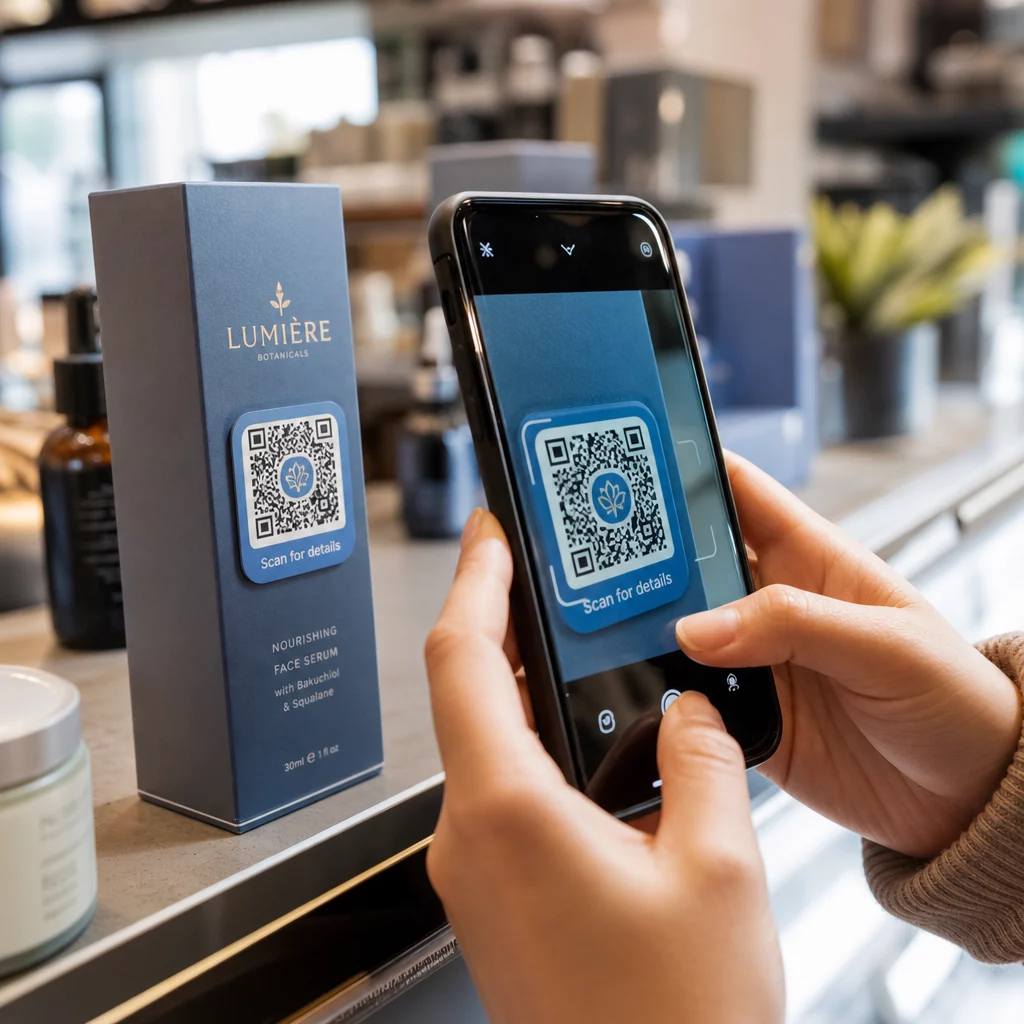
Could a fraudulent QR code on your printed materials expose your customers to phishing scams? With nearly 90% of QR phishing attacks designed to harvest login credentials and sensitive data, an insecure code can quickly compromise customer trust and disrupt operations. This guide provides actionable technical standards, design requirements, and governance practices to keep your deployments secure.
Understanding the Threat of QR Code Phishing
QR codes have evolved from simple marketing shortcuts into essential operational tools, making them prime targets for cybercriminals. QR code phishing, often referred to as “quishing,” exploits the fact that QR codes are not human-readable. Unlike standard hyperlinks where users can visually inspect the domain name before clicking, a QR code conceals its destination inside an optical matrix. Attackers take advantage of this opacity to redirect unsuspecting users to credential-harvesting pages or trigger malicious downloads.
In physical environments, criminals frequently execute attacks using malicious overlays. An attacker prints a fraudulent code onto an adhesive label and places it directly over legitimate signage on parking meters, restaurant tables, or event banners. When customers scan the sticker, they are routed to a spoofed payment gateway or login portal. Businesses facing these attacks risk reputational damage, customer churn, and operational disruptions. Addressing these vulnerabilities requires understanding the business risks of QR code phishing and applying defensive measures across every stage of generation and deployment.
Comparing Static and Dynamic QR Code Architectures
The underlying architecture of your QR code determines your ability to protect users after assets are printed. Understanding the technical differences between static and dynamic formats is the foundation of physical link security.
Static QR codes encode the destination URL directly into the black-and-white pattern. Once printed, the destination cannot be altered, redirected, or tracked. If a static URL is compromised, misspelled, or targeted by malicious actors, your only recourse is to physically remove and reprint the signage. Furthermore, static codes offer zero scan visibility, preventing you from identifying unusual traffic spikes or potential abuse.
Dynamic QR codes separate the printed pattern from the final destination. The optical pattern directs the user’s device to a short redirect URL hosted on a secure management platform, which then routes the user to the target resource. This redirection layer allows administrators to update destination addresses in real time, view analytics, apply access controls, and disable compromised links instantly without replacing physical materials.
| 보안 기능 | 정적 QR 코드 | 동적 QR 코드 |
|---|---|---|
| Link Editability | Permanent and unchangeable | Update destinations anytime without reprinting |
| Scan Monitoring | No scan data or tracking available | Real-time analytics for scan volume, time, and location |
| Threat Mitigation | Requires physical removal and reprinting | Instant destination updates or complete code deactivation |
| Access Protection | Open to any scanner without restrictions | Password protection and URL verification capabilities |
Manage and Protect Your Touchpoints Need complete control over your customer links? Use the 동적 QR코드 생성기 to update destinations instantly and track scan performance in real time.
Technical Standards for Secure Generation
To safeguard your brand and your users, generation workflows must implement rigorous cybersecurity hardening measures before codes enter production.
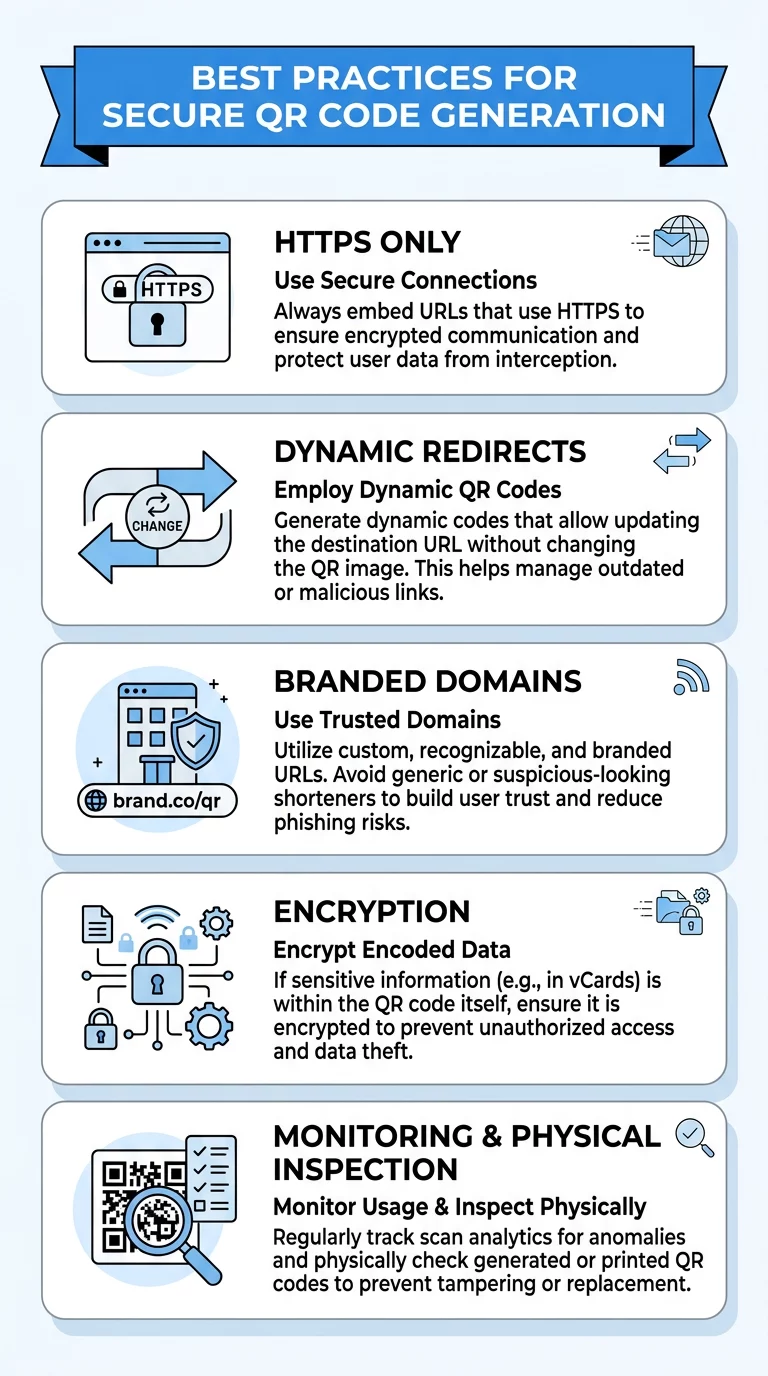
- Enforce encrypted HTTPS destinations: Route all QR codes exclusively to destinations secured with valid SSL certificates to prevent interception during transit.
- Implement access controls and encryption: Protect sensitive documents and portals using password protection or AES-256 encryption keys so unauthorized scanners cannot view confidential files.
- Apply custom branded domains: Use custom short domains rather than generic URL shorteners so users and endpoint scanners can verify brand ownership before the page loads.
- Restrict administrative permissions: Apply the principle of least privilege within your QR platform, granting generation and editing rights only to authorized team members while conducting periodic access audits.
Applying these safeguards aligns your operations with 사이버 방어에서 QR 코드 보안을 위한 모범 사례 and minimizes attack surfaces across both physical and digital environments.
Design Principles That Prevent Tampering and Maintain Usability
A secure QR code must also provide an effortless scanning experience. When codes fail to scan cleanly, frustrated users often switch to third-party scanning apps that lack malicious URL filtering, exposing themselves to heightened risks.
Custom visual branding serves as a potent deterrent against physical tampering. Generic black-and-white squares are simple for criminals to duplicate and paste over existing signage. Incorporating your brand logo, corporate color schemes, and custom call-to-action frames makes it obvious when an attacker attempts to place a generic sticker over your signage. Teaching users 가짜 QR 코드를 식별하는 방법 reinforces this visual defense.
Technical scannability requires adherence to optical standards:
- Maintain high contrast: Use dark modules on a light background, aiming for at least a 4.5:1 contrast ratio, because darker colors absorb light while lighter backgrounds reflect it back to the sensor.
- Size codes proportionally: Apply a 1:10 distance-to-size ratio, ensuring a code scanned from 10 inches away measures at least 1 inch wide, and never print below 0.8 x 0.8 inches.
- Preserve generous quiet zones: Leave an unobstructed solid border around the matrix that is at least four modules wide to stop surrounding graphics from corrupting scan reading.
- Configure high error correction: Select Level H error correction when placing a logo in the center of the code, allowing up to 30% of the data area to be covered while retaining full readability.
- Provide human-readable fallback URLs: Print a short, plain-text URL alongside the code so users have an alternative verification method if they prefer manual entry.
Regulatory Compliance and Privacy Protection
When a user scans a QR code, their device leaves an immediate digital footprint that can include IP addresses, browser types, operating systems, and approximate geographic locations. If your dynamic codes collect this metadata or route to forms requesting personal details, you must comply with global privacy regulations.
Organizations must balance marketing attribution with data protection, as detailed in our guide on QR 코드 개인 정보 보호 위험. Key regulatory expectations under 글로벌 QR 코드 개인 정보 보호법 은 다음과 같습니다:
- Obtain explicit consent under GDPR: Secure unambiguous user consent before logging IP addresses or precise location information for individuals within the European Union.
- Provide clear opt-out options under CCPA: Offer California residents transparent notices and the right to opt out of data sharing if scan records are passed to third-party advertising platforms.
- Enforce access controls and transmission encryption under HIPAA: Protect healthcare check-in links and patient forms using end-to-end encryption, strict access logs, and business associate agreements.
- Practice data minimization across all campaigns: Restrict dashboard metrics to aggregate, non-identifying parameters such as scan counts, broad regional trends, and device categories rather than individual identifiers.
Verification and Incident Response Procedures
Even the most carefully designed codes require ongoing operational governance once deployed in the field. Establishing consistent inspection routines ensures your physical touchpoints remain uncompromised over time.
- Inspect physical placements regularly: Schedule visual audits of all public-facing codes to identify adhesive overlays, misaligned stickers, peeling edges, or surface damage.
- Monitor scan traffic for anomalies: Check performance dashboards for sudden scan spikes or unusual traffic originating from regions outside your target market, which can indicate automated bot scans or link scraping.
- Educate internal teams and users: Train staff members to inspect marketing materials and instruct customers to preview URLs using their native camera or an authenticated QR코드 스캔 rather than unverified third-party apps.
- Formulate a rapid incident response plan: Define clear escalation steps so that if a code is reported as suspicious or compromised, administrators can disable or redirect the dynamic link immediately.
Strengthening Your Physical and Digital Touchpoints
Protecting physical touchpoints requires an active combination of secure dynamic architectures, branded visual designs, strict technical parameters, and continuous monitoring. Treating QR codes with the same security rigor as corporate web applications prevents quishing attacks, safeguards consumer privacy, and protects brand credibility.
If you are evaluating enterprise platforms to support your security and marketing initiatives, explore how top options compare by reviewing the 최고의 QR 코드 생성기. To begin creating customized, editable codes that protect your audience across every campaign, start with an enterprise-ready QR 코드 생성기 에서 지금 바로 시작하세요.
자주 묻는 질문
Users should visually inspect the code for signs of sticker overlays, peeling edges, or mismatched print quality before scanning. When scanning with a native smartphone camera, users should preview the displayed URL to verify that the domain matches the expected brand and uses an encrypted HTTPS protocol.
Dynamic QR codes route scans through an editable redirect layer, enabling administrators to monitor traffic anomalies, apply password protection, and update destinations or deactivate the link instantly if a threat is detected. Static QR codes cannot be modified, monitored, or disabled once printed, leaving compromised links active until the sign is physically destroyed.
If the deployment uses dynamic QR codes, administrators should immediately log in to their management dashboard and update the destination URL or deactivate the link to prevent further risk. Organizations should then dispatch staff to remove the tampered physical materials, conduct an audit across adjacent signage, and notify affected users if sensitive data was targeted.