집 > 블로그 > 전단지 및 브로슈어에 QR 코드를 추가하는 방법
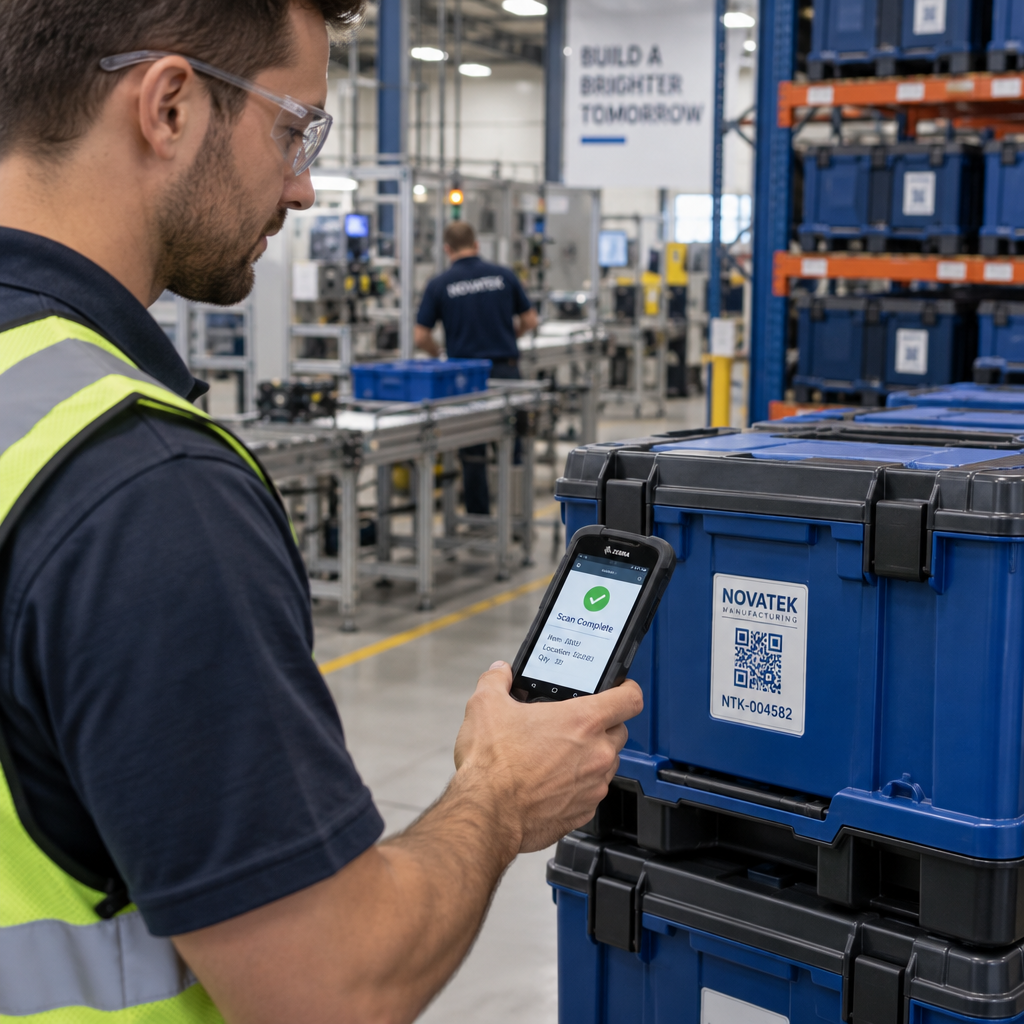
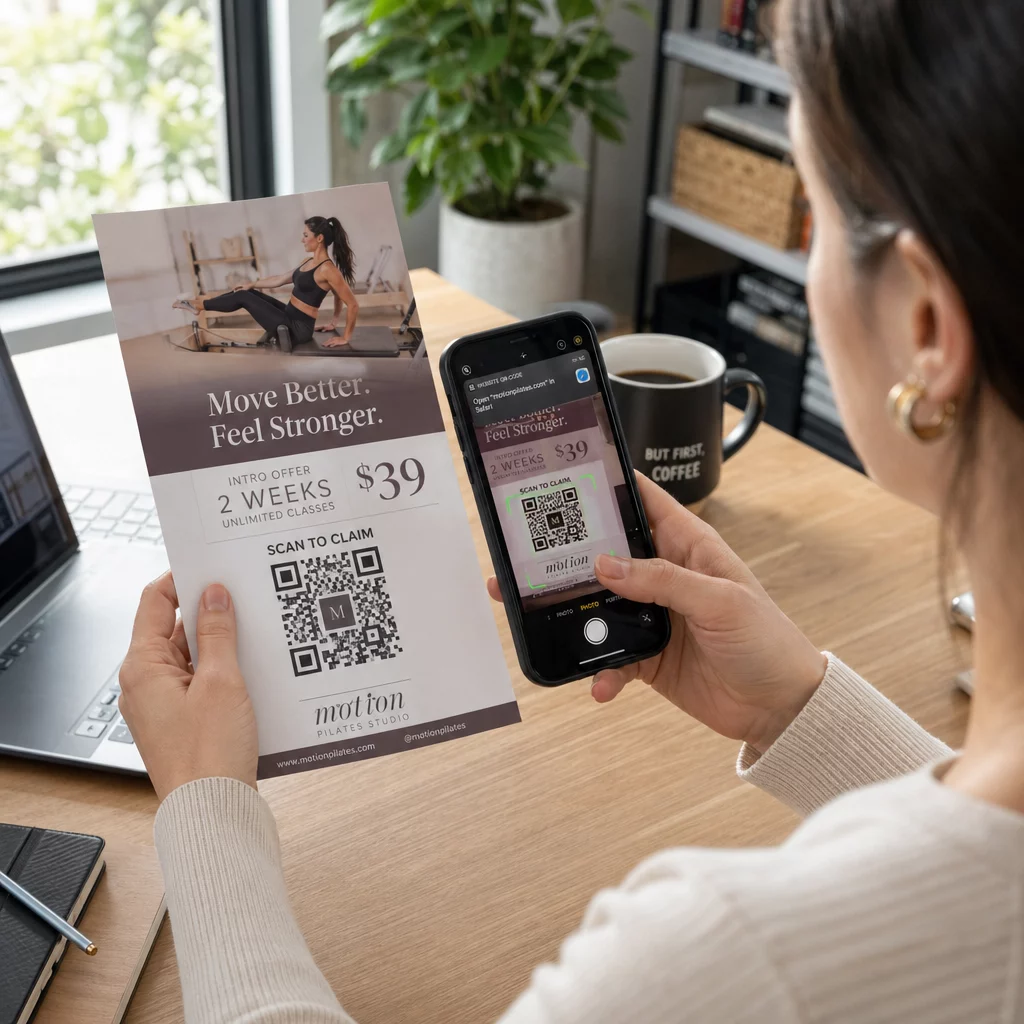
Scanning a flyer code

전단지 및 브로슈어에 QR 코드를 추가하는 방법

Learn how to add QR codes to flyers and brochures effectively. Get practical sizing guidelines, color contrast rules, placement strategies, and print tips.
Updated on 9월 29, 2026
목차

Do you ever find potential customers ignoring your printed flyers because typing a URL feels like too much effort? This friction often leads to wasted printing budgets and missed opportunities to capture qualified leads. Following proven technical design and placement standards allows you to transform static print marketing into reliable digital gateways.

인쇄 마케팅에서 정밀성이 중요한 이유

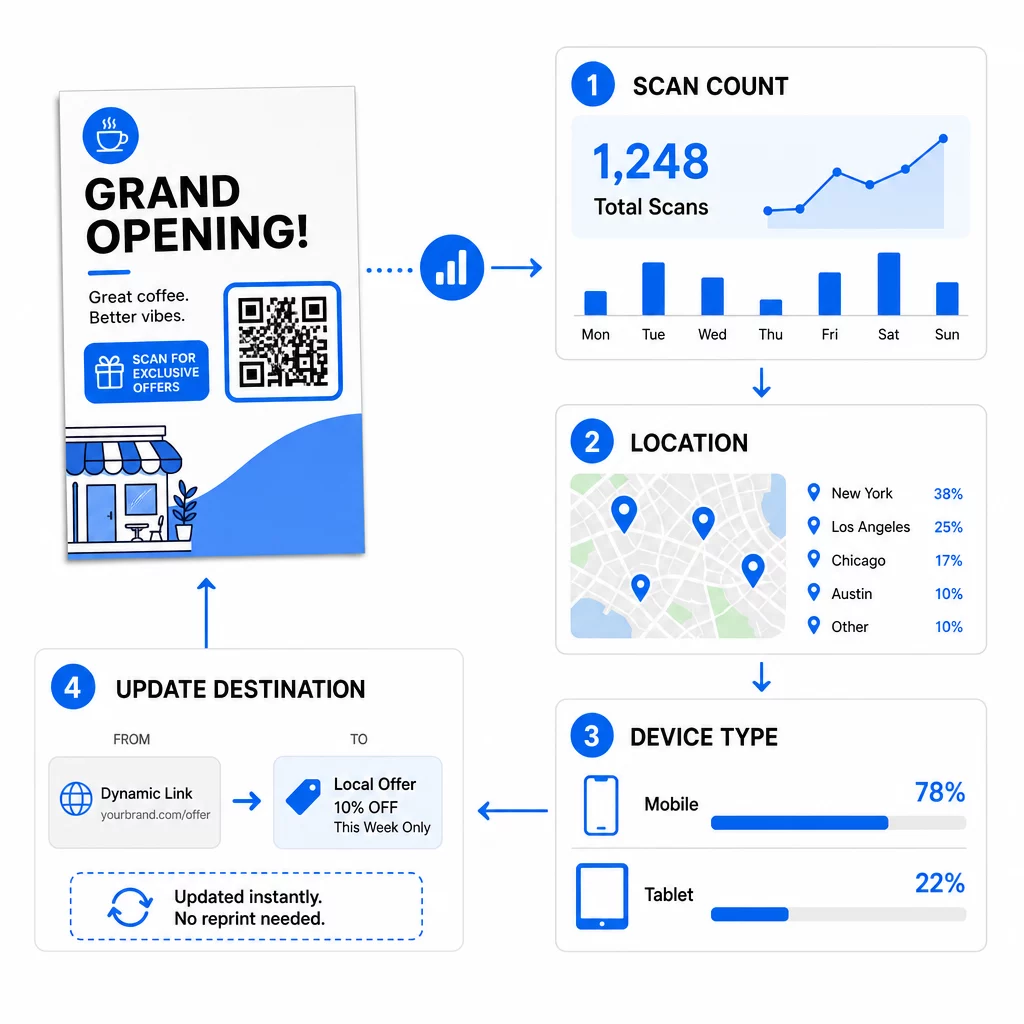
Integrating a QR code into your print media turns a static handout into an interactive channel. However, a code that is too small, blurry, or low-contrast will frustrate users and damage your brand reputation. Using dynamic QR codes is a critical first step because they allow you to update destination links even after your materials are distributed. This flexibility saves you from expensive reprinting if a promotion ends, a typo is discovered, or a campaign URL changes.

Beyond flexible links, dynamic codes provide real-time scan analytics that show scan counts, dates, times, and mobile operating systems. This data allows you to measure the return on investment of your print collateral just as you would with digital advertising. Applying these strategies across 전단지의 QR 코드 helps ensure your physical marketing works in tandem with your digital campaigns.

캠페인을 실시간으로 모니터링하세요 고객이 언제 어디서 자료를 스캔하는지 정확히 알고 싶으신가요? 다음을 사용하세요. 동적 QR 코드 생성기 추적 가능한 코드를 만들고 오늘 전체 성과 대시보드에 액세스하세요.

올바른 크기 및 해상도 선택

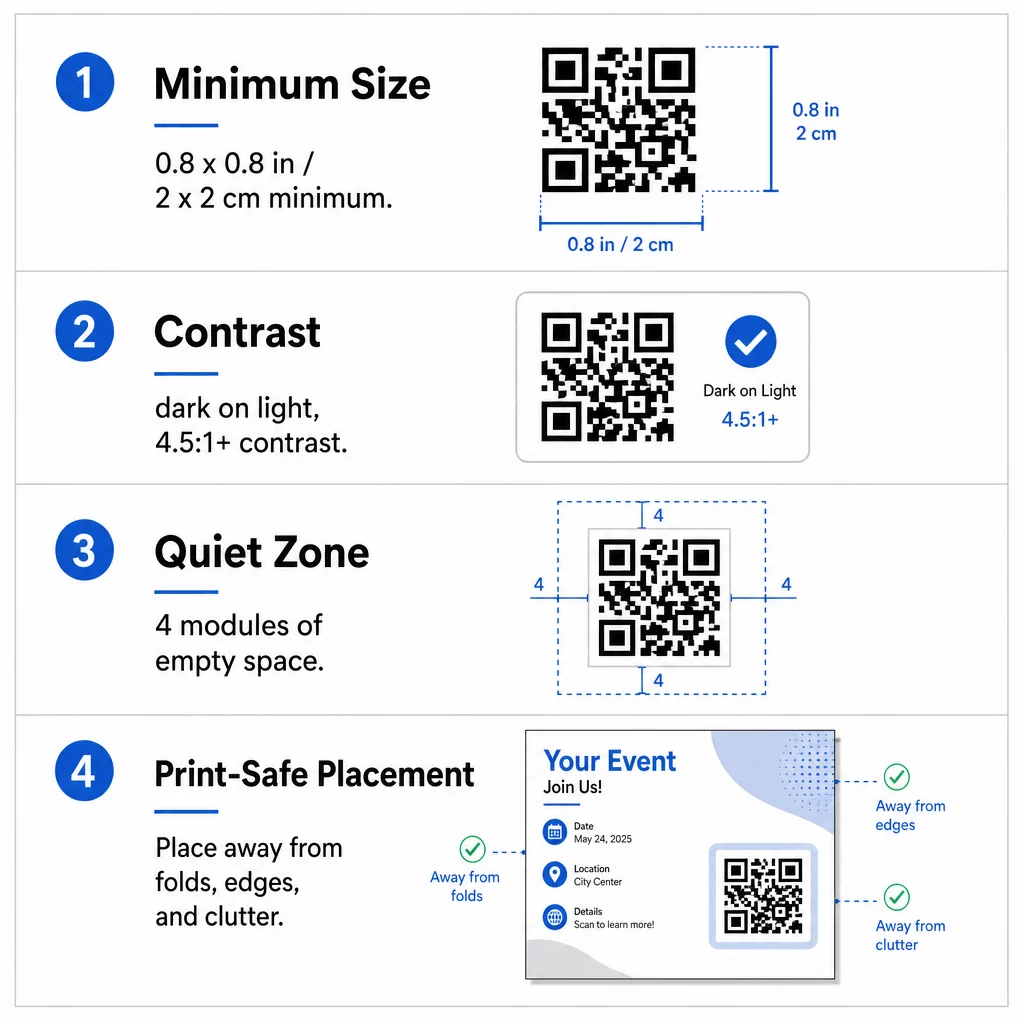
The most common reason QR codes fail on printed collateral is incorrect sizing. A camera sensor must be able to resolve individual modules – the tiny black and white squares that encode data – at a natural reading distance. For standard handheld items like flyers and brochures held at arm’s length, the symbol should be at least 0.8 x 0.8 inches (2 x 2 cm). If your design includes an embedded company logo, increase the code dimensions to at least 1.2 x 1.2 inches (3 x 3 cm) to preserve legibility.

  • Apply the 10:1 ratio by making the code at least 1 inch wide for every 10 inches of expected scanning distance.
  • Export files at 300 DPI or higher to prevent pixelation and blurriness during commercial printing.
  • Download print assets in vector formats such as SVG or EPS so the artwork scales sharply to any dimension.
  • Scale up symbol dimensions when designing larger collateral like promotional posters to account for greater scanning distances.

When selecting your paper stock, consult recommendations for 다양한 인쇄물에 대한 크기 조정 to verify that surface textures or finishes will not interfere with scanning.

QR 인쇄 지침

색상 대비 및 콰이어트 존 최적화

Scanners distinguish data by measuring the difference in light reflection between dark modules and the lighter background. When contrast is insufficient, camera sensors cannot separate the pattern from the page. Aim for a contrast ratio of at least 4.5:1 to ensure fast, reliable scanning across all smartphone cameras and varied ambient lighting.

  • Select dark module colors on light backgrounds, with solid black on crisp white delivering the highest readability.
  • Avoid reversed or inverted color schemes, as many native camera scanners struggle to decode white modules on dark backgrounds.
  • Eliminate gradients, drop shadows, and textured backgrounds that create mid-tones and confuse optical sensors.
  • Maintain a clear quiet zone around the entire symbol that measures at least four modules wide on all four sides.

This quiet zone acts as a protective buffer, preventing nearby text, images, or borders from blending into the code pattern. You can review detailed color pairing tables in the guide to 색상 대비 모범 사례 to select accessible brand colors before finalizing artwork.

최대 참여를 위한 전략적 배치

Where you position the code on your layout directly influences whether readers notice and scan it. For brochures, you can place codes on the cover, an inside panel, or the back page depending on the reading flow. Keep the symbol completely flat and clear of any folding lines, staples, or trim margins where paper finishing could distort the data grid.

  • Position the code in an uncluttered section of the layout with ample whitespace surrounding the quiet zone.
  • Keep the code away from folds, creases, or trim edges to prevent mechanical distortion during cutting.
  • Add an action-oriented call to action directly beside or beneath the code, such as “Scan to View Menu” or “Scan for 20% Off.”
  • Incorporate your brand mark using a dedicated 로고가 있는 QR 코드 생성기 to build visual trust with scanners.

Planning your layout around established brochure QR code placement principles ensures your audience understands the incentive to scan immediately upon picking up your collateral.

QR 배치 예시

인쇄 전 기술 품질 확인

Committing to a large print run without physical validation risks costly reprints and broken campaigns. Digital proofs on backlit computer monitors do not accurately represent how ink absorbs into paper or how ambient light reflects off different finishes.

  • Verify that your destination URL directs to a fast, mobile-optimized landing page.
  • Select Error Correction Level H (High) during code generation so the code remains functional even if up to 30% of the surface is scratched or obscured.
  • Print a physical proof at 100% scale using your intended paper stock and finish.
  • Test the printed proof under varying lighting conditions using native camera apps and an 온라인 QR 코드 스캐너 to verify instant decoding.

Glossy papers can produce specular reflection or surface glare that blinds camera sensors under direct light. If you must use glossy stock, apply a spot matte varnish over the QR code area or position the code where overhead lights are less likely to create severe reflections. Taking time to test physical samples guarantees your marketing materials will scan effortlessly the moment they reach your customers.

자주 묻는 질문

What is the minimum QR code size for flyers and brochures?

The standard minimum size is 0.8 x 0.8 inches (2 x 2 cm) for paper materials held at arm’s length. If you add a brand logo to the center of the code, increase the size to 1.2 x 1.2 inches (3 x 3 cm) to maintain scannability.

Can you change the destination link after your flyers are printed?

You can update the destination link at any time if you generate a dynamic QR code. Dynamic codes route scanners through a short redirect link, allowing you to edit the target URL or digital document from your dashboard without reprinting.

Why do smartphone cameras fail to scan QR codes on glossy paper?

Glossy finishes create specular reflection or glare under bright lighting, which washes out the dark modules and blinds the camera sensor. You can fix this by applying a matte varnish over the code, switching to matte paper stock, or increasing visual contrast.

작성자 정보

시임 코스타비는 페이지루트의 콘텐츠 책임자입니다. 그는 페이지루트의 혁신적인 QR 코드 생성 서비스에 대한 글을 쓰고 있습니다. 5년 이상 QR 코드 분야에서 쌓아온 깊이 있는 전문 지식을 바탕으로, 시임은 이 분야의 전문가로 인정받고 있습니다. 그는 QR 기술을 활용하여 디지털 상호작용을 간소화하고 향상시키는 데 크게 기여하고 있습니다.

범주
에 대해 자세히 알아보기
Trusted QR code
아무도 신경 쓰지 않는다 QR 코드 정보

온라인으로 QR 코드를 생성해야하는 경우 QR 코드 만들기 무료로 여기!
Pageloot는 #1 Go-To 솔루션 QR 코드를 만들고 스캔합니다.

BL-0136

블로그 세대

20,000개 이상의 브랜드로부터 신뢰를 받아 더 많은 매출, 리뷰, 팔로워를 확보했습니다.

클라이언트 로고
최고 브랜드의 신뢰
5 중 4.8 평가

4.86 / 5 별점

휴고 로랑
휴고 로랑
★★★★★
레스토랑 주인
가장 쉽고 안정적인 QR 코드 생성기. PDF 파일을 즉시 업로드할 수 있습니다. 이제 레스토랑 메뉴가 디지털화되었습니다.
루카스 얀센
루카스 얀센
★★★★★
부동산 개발사
이것은 훌륭한 도구이며 QR 코드를 사용하면 원하는 곳으로 이동할 수 있습니다. 우리는 위치 QR 코드만 사용하지만 유용한 기능이 너무 많습니다.
엠마 모레티
엠마 모레티
★★★★★
소매 제품
사용하기 쉽고 빠릅니다. 그것은 훌륭하게 작동하고 완벽한 이미지를 생성하므로 직원들이 내 vCard를 다운로드할 수 있습니다.
휴고 로랑
휴고 로랑
★★★★★
레스토랑 주인
가장 쉽고 안정적인 QR 코드 생성기. PDF 파일을 즉시 업로드할 수 있습니다. 이제 레스토랑 메뉴가 디지털화되었습니다.
루카스 얀센
루카스 얀센
★★★★★
부동산 개발사
이것은 훌륭한 도구이며 QR 코드를 사용하면 원하는 곳으로 이동할 수 있습니다. 우리는 위치 QR 코드만 사용하지만 유용한 기능이 너무 많습니다.
엠마 모레티
엠마 모레티
★★★★★
소매 제품
사용하기 쉽고 빠릅니다. 그것은 훌륭하게 작동하고 완벽한 이미지를 생성하므로 직원들이 내 vCard를 다운로드할 수 있습니다.
더 많은 QR 코드보기
QR 코드 스캔 태블릿
QR 코드 스캔 iPad 및 태블릿
무엇이든 디지털 경험으로 전환하세요 3분 이내에.

14일 무료 체험.

신용카드는 필요 없습니다.

첫 구매 시 30% 할인

코드를 사용하세요:

MP3 파일 공유

PDF QR 코드를 생성하려면 가입하세요

필요한 모든 것을 업로드하고 표시합니다.

  • 오디오 파일
  • 팟캐스트
  • 음악

가입 시 14일 무료 체험.
체험 기간 후 QR 코드 만료.

오디오 mp3 QR 코드를 생성하려면 가입하세요

프레임으로 더 많은 스캔 확보

QR 코드에 더 많은 프레임을 추가하려면 가입하세요

클릭 유도 문안 프레임은 고객이 QR 코드와 쉽게 상호 작용할 수 있도록 도와줍니다. 사용해 보세요!

가입 시 14일 무료 체험.
체험 기간 후 QR 코드 만료.

QR 코드에 더 많은 프레임을 추가하려면 가입하세요

도형으로 더 많은 스타일 추가

더 많은 도형을 만들려면 가입하세요

QR 코드는 정사각형일 필요가 없습니다. 브랜드 이미지에 맞게 전환해 보세요.

가입 시 14일 무료 체험.
체험 기간 후 QR 코드 만료.

더 많은 도형을 만들려면 가입하세요

QR 코드에 로고 추가

QR 코드에 로고를 추가하려면 가입하세요

로고와 브랜드를 추가하여 QR 코드를 돋보이게 만드세요.

가입 시 14일 무료 체험.
체험 기간 후 QR 코드 만료.

QR 코드에 로고를 추가하려면 가입하세요

스마트 앱 스토어 리디렉션

앱 스토어 QR 코드를 생성하려면 가입하세요

스마트 앱 스토어 QR 코드에 앱 링크를 추가하세요. 사용자는 장치에 따라 리디렉션됩니다.

가입 시 14일 무료 체험.
체험 기간 후 QR 코드 만료.

앱 스토어 QR 코드를 생성하려면 가입하세요

QR 코드에 이미지 업로드

이미지 QR 코드를 생성하려면 가입하세요

이미지를 쉽게 공유하세요. 몇 초 안에 동적으로 이미지를 변경하십시오.

가입 시 14일 무료 체험.
체험 기간 후 QR 코드 만료.

이미지 QR 코드를 생성하려면 가입하세요

PDF 파일 공유

PDF QR 코드를 생성하려면 가입하세요

필요한 모든 것을 업로드하고 표시합니다.

  • 메뉴 및 가격표
  • 명령
  • 모든 문서

가입 시 14일 무료 체험.
체험 기간 후 QR 코드 만료.

PDF QR 코드를 생성하려면 가입하세요

인쇄 없이 나중에 편집

다시 인쇄하지 않고 QR 코드를 편집하려면 가입하세요

동적 QR 코드를 사용하면 새 QR 코드를 인쇄하지 않고도 QR 코드의 내용을 변경할 수 있습니다.

가입 시 14일 무료 체험.
체험 기간 후 QR 코드 만료.

다시 인쇄하지 않고 QR 코드를 편집하려면 가입하세요

언제? 어디서? QR 코드 스캔 추적

QR 코드를 추적하려면 가입하세요

어떤 QR 코드가 가장 많이 스캔되고 무엇이 고객을 가장 흥분시키는지 알아보십시오.

가입 시 14일 무료 체험.
체험 기간 후 QR 코드 만료.

QR 코드를 추적하려면 가입하세요

인쇄 준비 파일 제공

PDF 및 SVG와 같은 벡터 QR 코드를 생성하려면 가입하세요.

.EPS, .PDF, .SVG

HD 해상도로 QR 코드를 다운로드하고 싶으신가요? 인쇄할 준비가 된 벡터 또는 픽셀 형식을 가져옵니다.

가입 시 14일 무료 체험.
체험 기간 후 QR 코드 만료.

PDF 및 SVG와 같은 벡터 QR 코드를 생성하려면 가입하세요.

기다리세요. 귀하의 QR 코드는 로드 중... 로드 중...

나만의 것으로 만들기

나중을 위해 QR 코드를 저장하려면 가입하세요.

다양한 색상, 로고 및 클릭 유도문안 프레임으로 멋진 QR 코드를 만들어 더 많은 스캔을 받으세요.

가입 시 14일 무료 체험.
체험 기간 후 QR 코드 만료.

나중을 위해 QR 코드를 저장하려면 가입하세요.