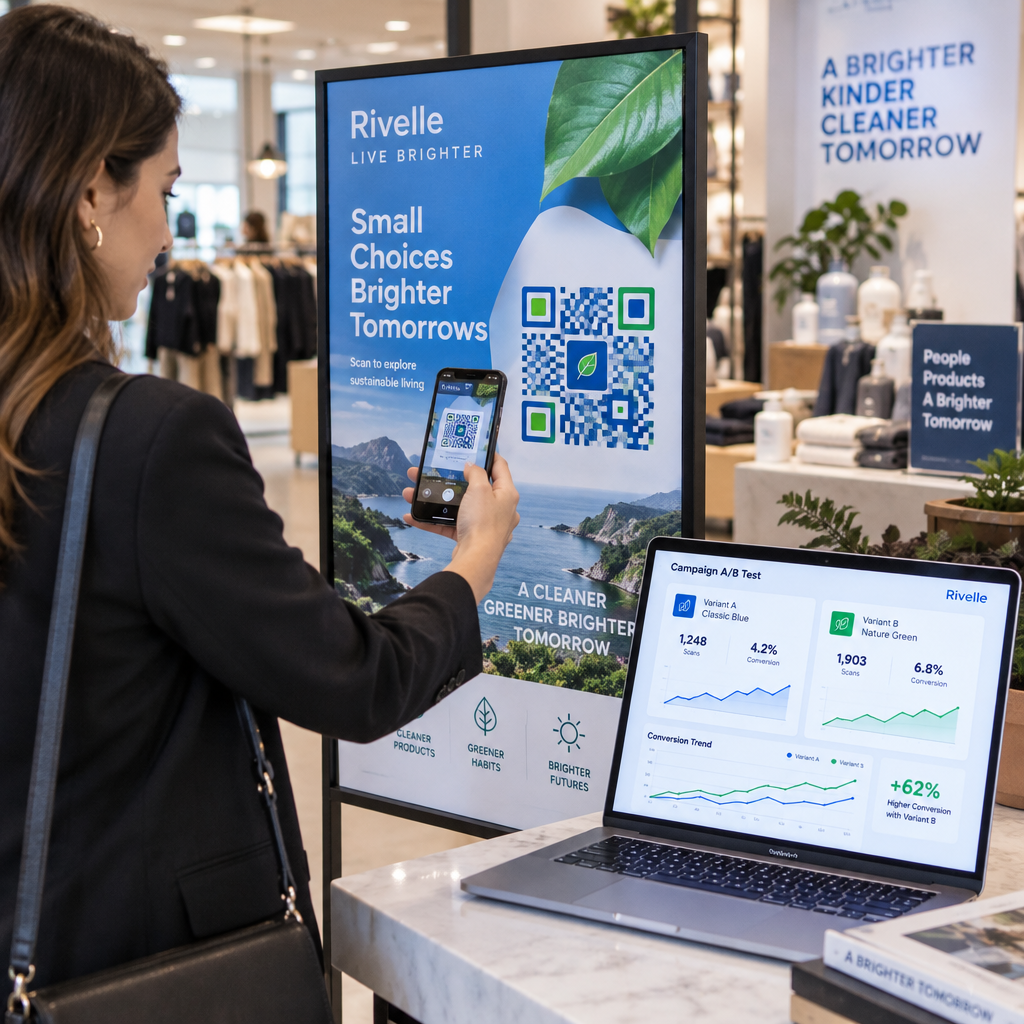
Are you struggling to measure whether your print marketing variations actually convert customers? Running split tests across physical assets like flyers, product packaging, or storefront signage can quickly drain your budget if you cannot modify destinations or measure scan behaviors. Using dynamic QR codes solves this problem by separating the physical printed graphic from your digital landing page, allowing you to run controlled experiments without reprinting your materials.
Staatiliste QR-koodide piirangud eksperimentide jaoks
When you create a static QR code, your destination data is directly encoded into the visual matrix of squares. This direct encoding makes the link permanent once the asset is printed. If you spot a broken link on your landing page, want to test a seasonal discount, or discover that your page copy underperforms, you cannot adjust the destination. The only way to direct users to a revised URL is to redesign the code and pay to reprint the entire run.
Understanding the difference between staatiliste ja dünaamiliste QR-koodide vahel is critical for setting up valid marketing experiments. Static codes provide no built-in scan analytics or logging. You cannot track when someone scanned your poster, what operating system they used, or where the scan occurred. Without these baseline measurements, you cannot calculate scan-to-lead conversion rates or compare the performance of competing creative concepts.
How Dynamic QR Codes Enable A/B Testing
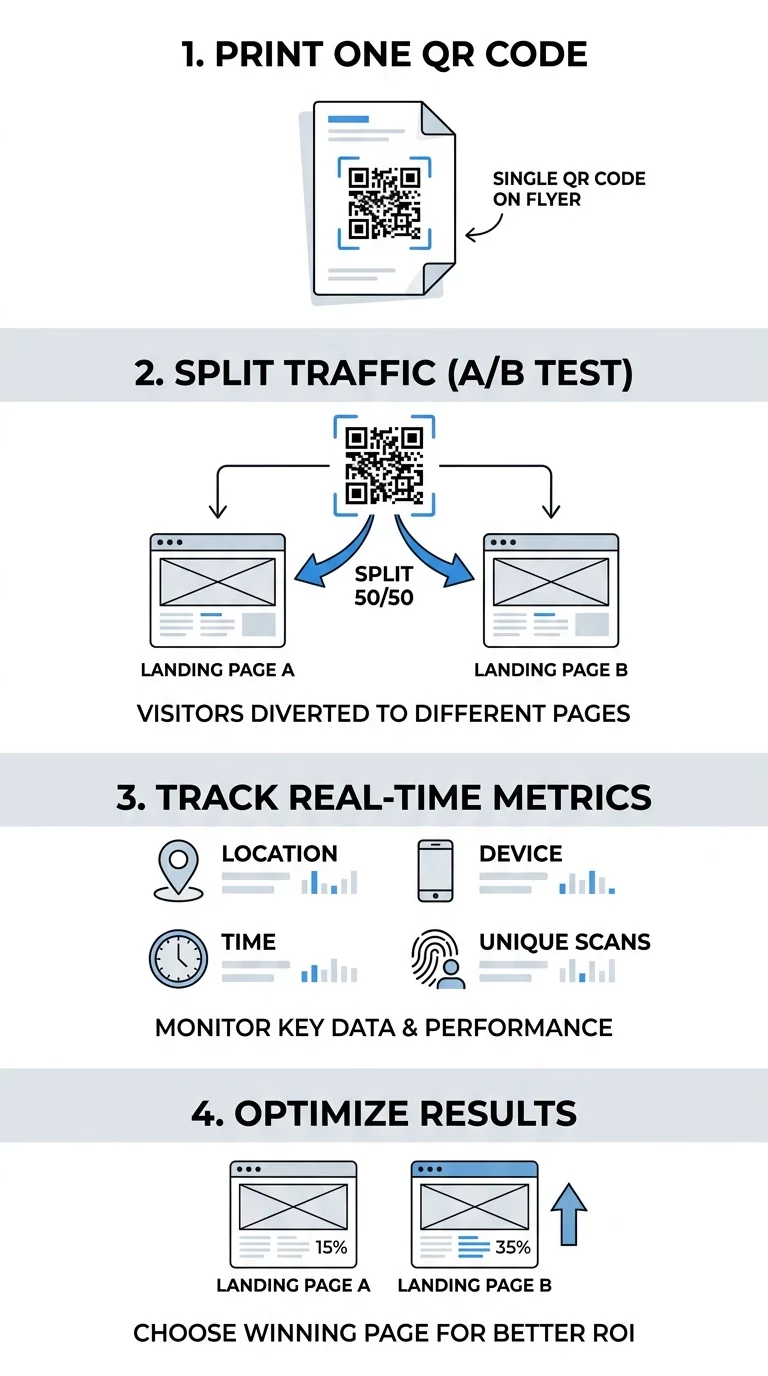
Dynamic QR codes solve this limitation by embedding a short redirect URL rather than the final destination link. When a prospect scans your code, their mobile browser requests the short link from an intermediate redirect server, which instantly routes the visitor to your designated URL.
Because this routing happens through software, you can learn kuidas QR-koode redigeerida directly from an administrative dashboard at any time. The physical code on your brochures or signage remains identical, but the final web destination changes instantly.
| FUNKTSIOON | Staatilised QR-koodid | Dünaamilised QR-koodid |
|---|---|---|
| Destination Editability | Permanent; cannot be altered after generation | Fully editable at any time via management dashboard |
| Skaneerimise jälgimine ja analüüs | No data collected or recorded | Real-time counts, timestamps, device class, and rough location |
| A/B Testing Capability | Requires separate physical print runs per variation | Supports traffic splitting or simple URL swaps without reprints |
| Operational Cost | High risk of reprinting costs when assets change | Predictable subscription model that preserves printed assets |
This architecture gives you two ways to test marketing variations. First, you can run sequential tests by directing traffic to Variant A for two weeks, switching the destination link to Variant B for the following two weeks, and comparing the results. Second, you can generate unique dynamic codes for different physical placements – such as testing two different calls-to-action on identical flyers – to see which version generates higher engagement.
Jälgige oma kampaaniat reaalajas Kas soovite täpselt näha, kus ja millal teie kliendid teie materjale skannivad? Kasutage Dünaamilise QR koodi generaator jälgitavate koodide loomiseks ja täielikule jõudluse armatuurlauale juurdepääsuks juba täna.
Tracking Metrics for Data-Driven Experiments
To run a meaningful A/B test, you need quantitative data rather than assumptions. Setting up systematic QR-koodide jälgimine captures essential visitor interactions before sending users to your final offer.
Dynamic analytics dashboards provide several core metrics:
- Total Scans vs. Unique Scans: Total scans measure overall engagement frequency, while unique scans show the exact size of your audience reach.
- Skaneerimise ajatemplid: Hourly and daily trends highlight when your target audience interacts with physical signage, showing peak conversion windows.
- Device Class and Operating System: Knowing whether users scan from iOS or Android helps technical teams optimize landing page layouts for the dominant mobile browser.
- Approximate Location: Server-side routing infers regional data from IP addresses, helping you identify top-performing retail regions.
To capture downstream actions like newsletter signups or completed purchases, append custom UTM tags to your destination links, such as `utmcampaign=springsale&utmcontent=varianta`. Once visitors land on your site, web platforms like Google Analytics record the UTM values, allowing you to connect physical print engagement directly with end-of-funnel revenue.
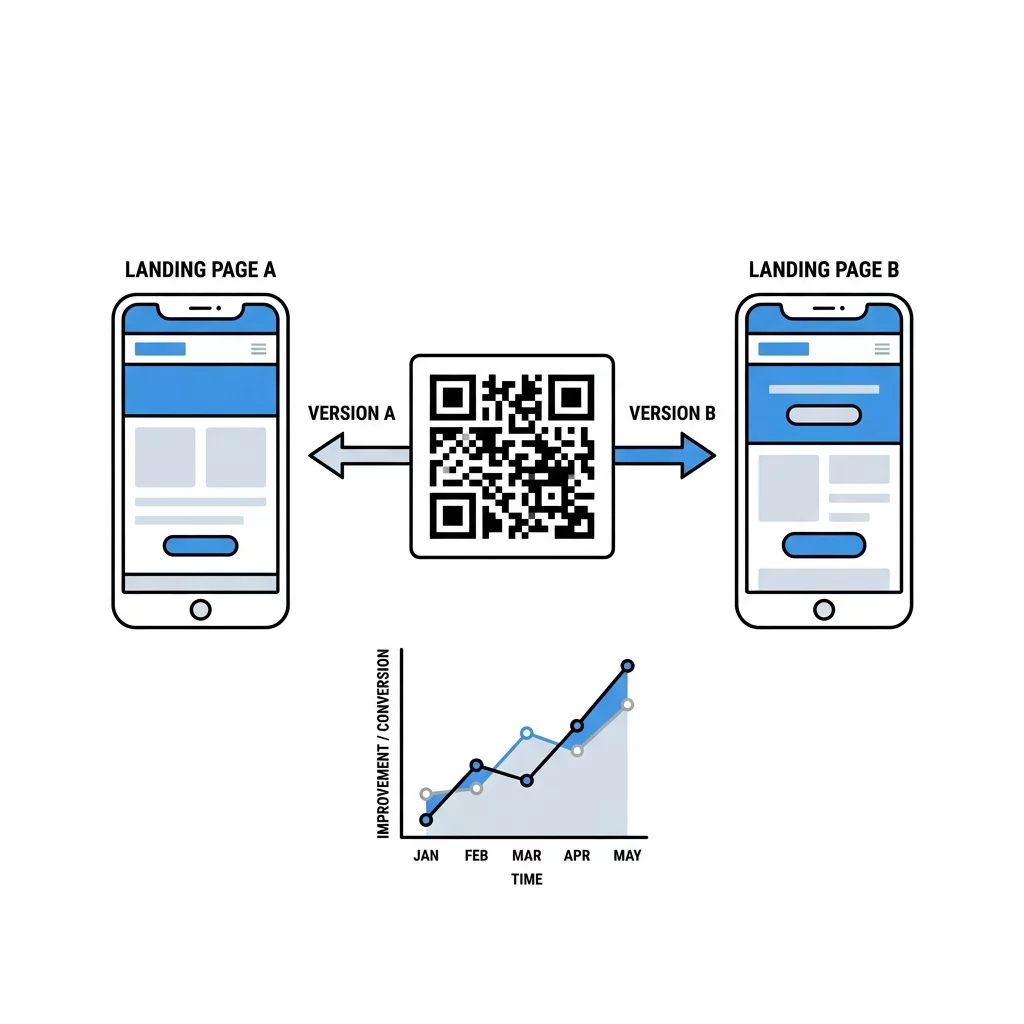
Step-by-Step Guide to Testing Physical Campaigns
Physical tests require disciplined controls because environmental variables can skew your findings. Reviewing the ultimate guide to A/B testing QR code campaigns helps you structure reliable tests using these steps:
- Isolate One Variable: Test a single element at a time – such as a frame headline, button color, or landing page promotion – while keeping all other creative elements unchanged.
- Match Exposure Environments: Distribute variant materials across comparable locations with similar foot traffic, lighting levels, and demographic profiles to prevent outside bias.
- Maintain Visual Contrast: Ensure your printed codes maintain strong dark-on-light contrast and adequate quiet zones so poor readability does not distort your scan totals.
- Define Sample Sizes in Advance: Run tests until you gather enough scan volume to draw conclusions, rather than ending the experiment as soon as one variant pulls ahead.
- Implement Winning Variations: Once downstream analytics reveal a clear winner, update your dynamic destination link to send all future traffic to the top-converting page.
Following this structured workflow shows kuidas A/B testimine parandab QR-koodi konversioone by replacing guesswork with documented customer preferences. If you only need a basic entry point for a static link, you can test designs using a general QR-koodi generaator, but ongoing conversion testing requires dynamic redirect management.
Test Your Creative Variations Need to direct physical traffic to specific promotional offers? Use the Lingi QR-koodi generaator to build custom URLs with campaign tracking parameters for your next rollout.
Real-World Impact on Print Budgets
Dynamic code management delivers clear cost and operational benefits across diverse marketing settings:
- Hospitality Menu Testing: Marriott Aruba replaced traditional printed dining menus with dynamic codes, saving approximately $150,000 in recurring printing costs while gaining the flexibility to test daily menu layouts and pricing structures.
- Cultural Exhibits: The M+ Museum recorded more than 148,000 visitor interactions by updating digital tour materials on the fly without having to alter physical gallery plaques.
- Regional Entertainment Campaigns: Lionsgate launched localized dynamic codes across 65 cities, capturing over 12,000 engagements while tracking performance across individual regional media placements.
Whether you run a local storefront or oversee multinational advertising campaigns, dynamic redirects protect your physical marketing budget by ensuring your printed materials never go obsolete.
Korduma kippuvad küsimused
No, you cannot convert a static code into a dynamic one after creation. Static codes have the final destination URL hard-coded directly into the visual pattern. To access scan tracking and destination editing, you must generate a new dynamic QR code before printing your materials.
While total scans indicate physical visibility and curiosity, post-scan conversion rate is the most reliable measure of campaign success. By using unique UTM parameters for each destination variant, you can track which page generates the highest rate of form submissions, downloads, or completed purchases in your web analytics tool.
Offline tests typically need to run for two to four weeks to account for weekly foot-traffic swings and varying consumer habits across weekends and weekdays. You should let the test run until both variants accumulate sufficient scan volume to establish statistical significance, rather than stopping the experiment early.
Dynamic QR codes are the most practical and cost-effective choice for running physical split tests. By allowing you to change landing pages instantly and track engagement metrics in real time, they remove the financial risk of print experimentation. To explore additional ways to enhance your marketing touchpoints, explore our full directory of QR-koodi funktsioonid and start turning your print campaigns into measurable digital channels today.